Artificial intelligence at work is entering a new phase.
For years, productivity assistants such as Microsoft Copilot have primarily helped users find information, summarize content, generate documents, write emails, and answer questions.
That is useful but there is a fundamental limitation.
The user still has to take the answer and turn it into action.
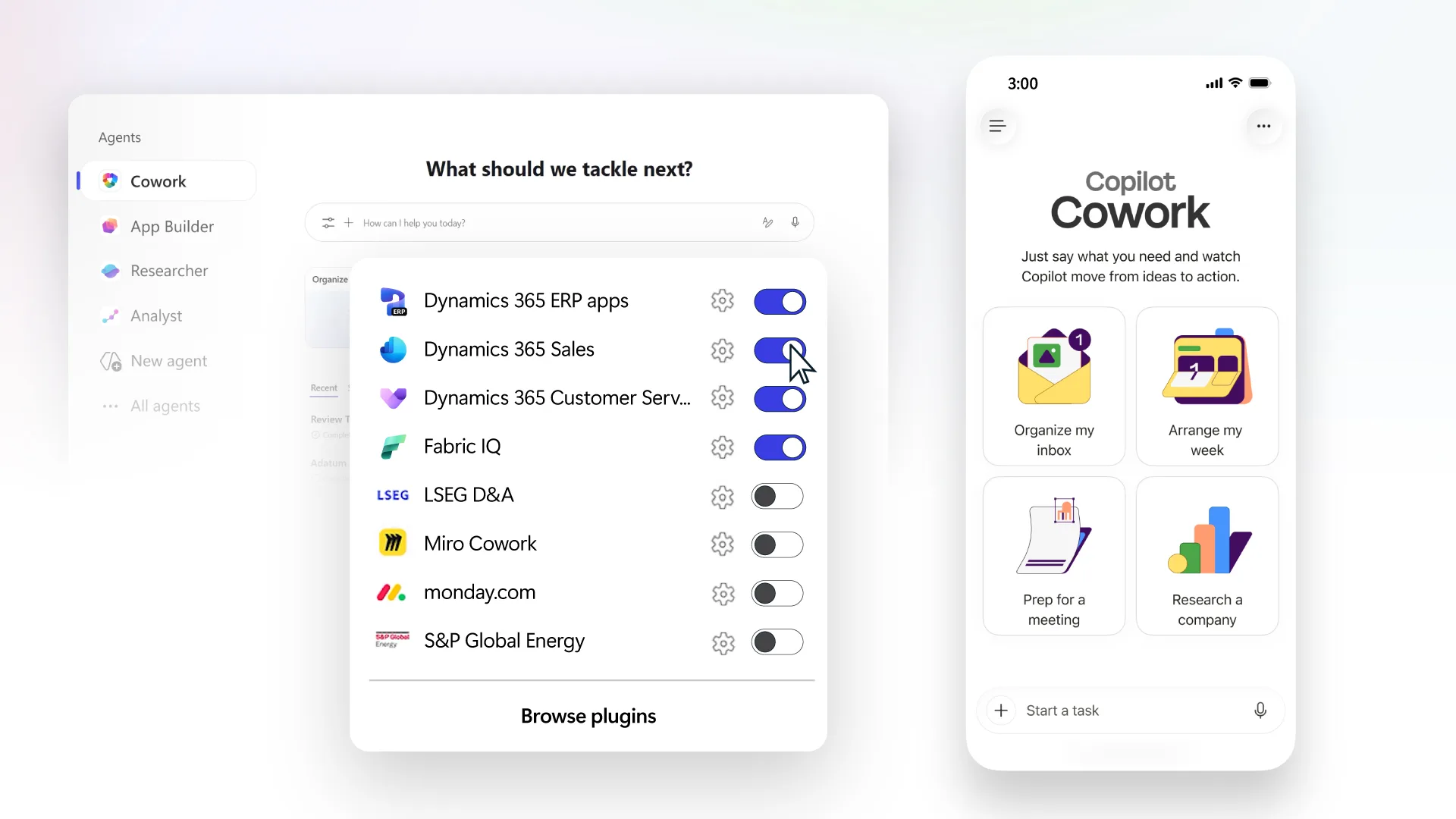
Microsoft is now pushing Copilot toward a different model with Copilot Cowork: instead of simply asking AI for an answer, users can delegate an outcome and allow Copilot to plan and execute the work.
Microsoft describes Cowork as a capability designed to help Copilot move beyond conversation and take action. It can ground delegated work in information across Microsoft 365, including emails, meetings, messages, files, and data.
This represents an important shift in how we should think about enterprise AI.
Traditional Copilot: "Help me do this."
Copilot Cowork: "Take care of this and keep me in control."
From AI Assistant to AI Coworker
The evolution of workplace AI can be simplified into three stages.
GenerationPrimary CapabilityExampleAI ChatbotAnswer questions"What is our sales performance?"AI CopilotAssist with tasks"Create a presentation from this report."AI CoworkerExecute outcomes"Prepare everything for tomorrow's customer meeting."
The difference is not simply intelligence.
It is agency.
A traditional chatbot waits for a question and returns a response.
A copilot helps the user perform a task.
An AI coworker can take a broader objective, determine the steps required, execute those steps, and return the resulting work to the user for review.
That is the core idea behind Copilot Cowork.
What Is Copilot Cowork?
Copilot Cowork is Microsoft's approach to delegated AI work inside Microsoft 365.
Instead of requiring users to provide detailed step-by-step instructions, Cowork allows them to describe the desired outcome.
For example:
Prepare me for tomorrow's customer meeting.

Review the latest emails, previous meeting notes,
relevant files, and recent customer updates.

Create a briefing document, prepare a presentation,
schedule preparation time, and draft a follow-up email.
Rather than treating this as a single content-generation request, Cowork can interpret it as a workflow.
Conceptually:
User Intent
     |
     v
Understand Objective
     |
     v
Gather Context
     |
     v
Create Execution Plan
     |
     v
Execute Tasks
     |
     +------------------+
     |                  |
     v                  v
Need Approval?      Need Clarification?
     |                  |
     v                  v
Ask User            Ask User
     |
     v
Continue Execution
     |
     v
Deliver Results
Microsoft describes this as a plan-to-action loop.
The important part is that execution can continue in the background while the user focuses on other work. Users can review recommended actions, make changes, approve actions, or pause execution.
The Difference Between Asking and Delegating
Consider two prompts.
Traditional AI Interaction
"Summarize the latest emails about Project Alpha."
The AI produces a summary.
The user then needs to:
Read the summary.
Determine what needs to happen.
Create a task list.
Contact the relevant people.
Schedule meetings.
Prepare documents.
Follow up.
The AI helped with one part of the workflow.
Delegated Workflow
"Get Project Alpha back on track.

Review recent emails and meetings,
identify blockers, prepare a status update,
schedule the required follow-ups,
and prepare the material for tomorrow's review."
Now the AI is being asked to manage an outcome.
This is where Cowork becomes interesting.
The value is no longer measured only by the quality of the generated text.
It is measured by how much real work moves forward.
How Copilot Cowork Works
Microsoft describes Cowork as grounding its work in the user's Microsoft 365 context.
This includes signals from services such as:
Outlook
Teams
Excel
Files
Meetings
Messages
Other Microsoft 365 data
Microsoft refers to the contextual intelligence behind this experience as Work IQ.
This is important because enterprise work rarely exists inside a single document.
A customer project might look like this:
Outlook
   |
   +-- Customer emails
   |
   +-- Meeting invitations
   |
   v
Teams
   |
   +-- Conversations
   |
   +-- Meeting transcripts
   |
   v
SharePoint / OneDrive
   |
   +-- Presentations
   |
   +-- Documents
   |
   v
Excel
   |
   +-- Project analysis
   |
   +-- Financial data
   |
   v
Copilot Cowork
   |
   v
Coordinated Outcome
The AI therefore has the opportunity to reason across multiple sources rather than treating each application as an isolated workspace.
The Plan-to-Action Loop
One of the most important concepts behind Cowork is the plan-to-action loop.
A delegated task can be viewed as:
1. Intent
The user describes what they want to achieve.
"Prepare the team for the customer workshop."
2. Context
Cowork gathers relevant information.
Emails
Meetings
Teams messages
Documents
Spreadsheets
Calendar
3. Planning
The system determines what needs to happen.
1. Find previous customer discussions
2. Identify open issues
3. Review the latest project status
4. Prepare briefing material
5. Create presentation
6. Schedule preparation time
7. Draft customer communication
4. Execution
Cowork performs the permitted work.
5. Checkpoints
If an action requires user confirmation, the user remains in control.
6. Completion
The result is delivered as usable work rather than merely an AI response.
This distinction is critical.
The output is not necessarily a paragraph of text. The output can be a completed workflow.
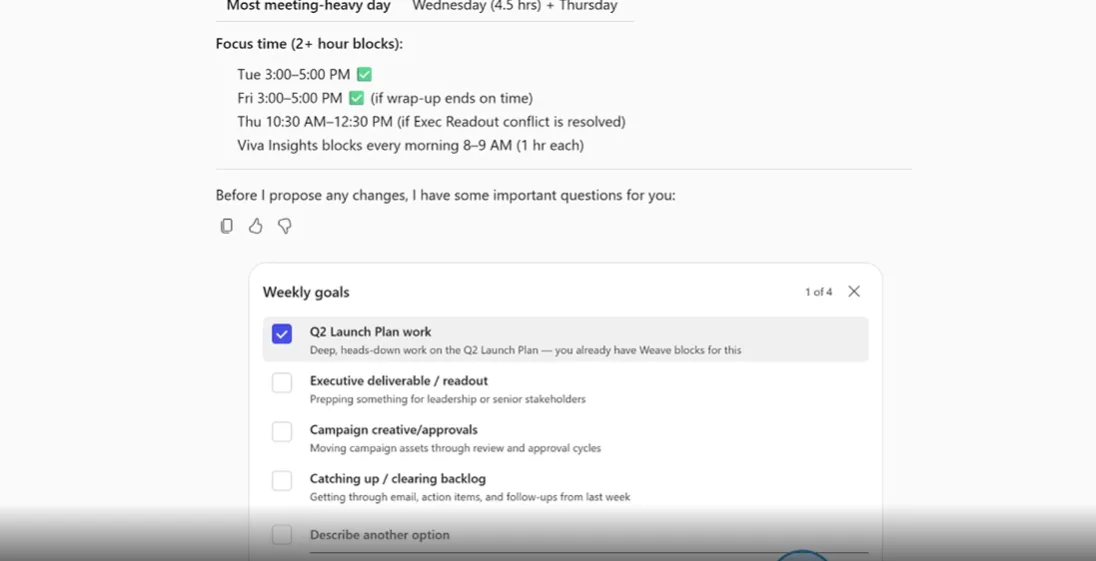
Real-World Example: Cleaning Up Your Calendar
Calendar management is a good example because it demonstrates that AI execution does not have to mean generating documents.
Imagine starting the week with 20 meetings.
Instead of manually reviewing every invitation, you could delegate the objective:
"Help me create more focus time this week.

Prioritize my customer work and project delivery.
Identify low-value meetings and conflicts.
Suggest changes and protect blocks of focus time."
Cowork can analyze the Outlook schedule, identify conflicts and lower-value meetings, and propose changes.
After approval, the changes can include:
Accepting meetings
Declining meetings
Rescheduling meetings
Adding focus blocks
Preparing meeting material
The important principle is:
Calendar problem
      ↓
User objective
      ↓
AI analysis
      ↓
Recommended actions
      ↓
User approval
      ↓
Calendar changes
The user is still the decision maker.
Real-World Example: Preparing for a Customer Meeting
Consider a typical enterprise sales or consulting scenario.
Before a customer meeting, information may be distributed across:
Email
Teams
Previous meetings
PowerPoint
Word documents
Excel
Calendar
Finding everything manually can take hours.
With Cowork, the objective could be:
"Prepare me for tomorrow's customer meeting.

Use the latest customer communication,
previous meetings, project documents,
and current status.

Create the briefing material,
presentation, and follow-up email."
The resulting work can include:
A briefing document
Supporting analysis
A customer-ready presentation
Scheduled preparation time
A draft customer status email
This is a significant change in workflow.
Instead of:
Search → Read → Copy → Paste → Create → Schedule → Email
the workflow becomes:
Delegate → Review → Approve → Refine
Real-World Example: Company Research
Another interesting use case is research.
Traditional research often looks like:
Search the web
      ↓
Find annual reports
      ↓
Find SEC filings
      ↓
Read analyst commentary
      ↓
Find relevant news
      ↓
Collect data
      ↓
Create notes
      ↓
Create Excel analysis
      ↓
Write executive summary
Cowork can coordinate much of this process.
The resulting work can include:
Executive summary
Research memo
Supporting analysis
Excel workbook
Sources and citations
The interesting aspect is that research becomes an output pipeline rather than simply a search interaction.
Real-World Example: Product Launch Planning
A product launch is even more interesting because it requires multiple types of work.
For example:
Product Launch
      |
      +-- Competitive intelligence
      |
      +-- Competitive comparison
      |
      +-- Value proposition
      |
      +-- Customer messaging
      |
      +-- Presentation
      |
      +-- Milestones
      |
      +-- Owners
      |
      +-- Next steps
Instead of asking Copilot to create each artifact separately, the user can delegate the larger workflow.
The resulting deliverables can include:
A competitive comparison in Excel
A value proposition document
A customer pitch deck
A plan containing milestones, owners, and next steps
This illustrates an important idea:
The unit of work is becoming the workflow, not the document.
Why Work IQ Matters
One of the biggest challenges for enterprise AI is context.
An AI may be extremely capable, but if it does not understand the user's working environment, its output may still be generic.
Consider the difference between:
"Create a project status report."
and:
"Create the status report for my current project
using the latest customer emails, project meetings,
open issues, and the latest Excel tracking file."
The second request requires contextual understanding.
Work IQ is Microsoft's mechanism for grounding Copilot in signals across Microsoft 365.
That context can help Copilot understand:
What meetings are important
Which people are involved
Which documents are relevant
What conversations happened recently
What information is associated with the user's work
What actions may be appropriate
This contextual understanding is a key part of how Cowork can act with an understanding of the user's work rather than operating as a generic chatbot.
Human-in-the-Loop Still Matters
The idea of an AI that can perform actions naturally raises an important question:
How much control does the user have?
Cowork is designed around checkpoints.
The AI can continue working, but users can:
Review progress
Provide clarification
Modify the plan
Approve recommended actions
Pause execution
This produces a useful enterprise pattern:
             AI
              |
      +-------+-------+
      |               |
   Planning        Execution
      |               |
      +-------+-------+
              |
        Human Review
              |
        +-----+-----+
        |           |
      Approve     Modify
        |           |
        +-----+-----+
              |
          Continue
The objective is not to remove humans from the process.
The objective is to remove unnecessary manual coordination.
Enterprise Security and Governance
Enterprise AI cannot be evaluated only by productivity.
Security and governance are equally important.
Microsoft positions Copilot Cowork within the Microsoft 365 security and governance model.
This includes considerations such as:
Identity
Permissions
Compliance
Auditing
Protected execution environments
Microsoft also describes Cowork as running in a protected cloud environment so work can continue while users move between devices.
This is particularly important for enterprise adoption.
A useful enterprise AI architecture needs to answer:
Who can access the data?
Who can perform the action?
What permissions apply?
What needs approval?
What was changed?
Can the activity be audited?
AI execution without governance is difficult to deploy at scale.
AI execution integrated with existing enterprise identity and security models is a much more practical proposition.
Copilot Cowork and the Multi-Model Approach
Another interesting aspect of Microsoft's announcement is its multi-model strategy.
Microsoft describes working with Anthropic to integrate technology behind Claude Cowork into Microsoft 365 Copilot.
The broader strategy is that Copilot does not necessarily need to rely on a single model provider.
Instead, the platform can incorporate different models and select technology appropriate for different tasks.
Conceptually:
                    Microsoft Copilot
                           |
              +------------+------------+
              |            |            |
           Model A      Model B      Model C
              |            |            |
              +------------+------------+
                           |
                    Task Execution
This creates an important distinction between an AI model and an AI platform.
The model provides intelligence.
The platform provides:
Context
Identity
Permissions
Tools
Data
Orchestration
Governance
Execution
That platform layer may ultimately become more important than the underlying model itself for enterprise workflows.
Copilot vs. Copilot Cowork
It is useful to understand that Cowork is not simply "a better chatbot."
The interaction model is different.
CapabilityTraditional CopilotCopilot CoworkAnswer questionsYesYesGenerate contentYesYesUnderstand Microsoft 365 contextYesYesCreate multi-step plansTask dependentCore conceptDelegate workLimitedCore capabilityBackground executionLimitedYesCoordinate multiple outputsPossibleCore scenarioUser approval checkpointsDepends on actionCore workflowExecute actionsSelected scenariosCentral focus
The most important difference is the unit of interaction.
Traditional Copilot often works around a prompt.
Cowork is designed around an outcome.
What This Means for Developers and IT Professionals
For developers, consultants, architects, and IT teams, Copilot Cowork points toward a broader change in application architecture.
We have traditionally built applications around:
User
 ↓
UI
 ↓
Form
 ↓
Business Logic
 ↓
Database
AI-driven systems increasingly introduce another layer:
User Intent
      ↓
AI Agent
      ↓
Planning
      ↓
Tools / APIs
      ↓
Business Systems
      ↓
Execution
This means future enterprise applications may expose capabilities not only through traditional UI screens, but also through agent-accessible actions.
For example, instead of opening five applications to complete a process, an employee might describe the desired outcome:
"Prepare the monthly project review."
The agent could potentially coordinate:
ERP
CRM
Project System
Email
Calendar
Documents
Analytics
The UI becomes only one way to access the business process.
The Rise of Outcome-Based Automation
Traditional automation usually starts with a predefined workflow:
Trigger
 ↓
Step 1
 ↓
Step 2
 ↓
Step 3
 ↓
Step 4
 ↓
Complete
AI-driven automation introduces a different possibility:
Desired Outcome
      ↓
AI determines plan
      ↓
AI executes available actions
      ↓
Human checkpoints
      ↓
Outcome
This does not mean deterministic automation will disappear.
For highly regulated or predictable processes, deterministic workflows remain extremely valuable.
Instead, AI agents are particularly interesting when:
The process contains ambiguity
Information is distributed across systems
Human judgment is required
The workflow changes frequently
Multiple applications are involved
The user cares more about the outcome than the individual steps
The Real Opportunity: Removing Coordination Work
One of the biggest productivity opportunities is not necessarily generating more content.
It is reducing coordination overhead.
Think about how much knowledge work consists of:
Find information
      ↓
Understand information
      ↓
Decide what matters
      ↓
Create something
      ↓
Send it to someone
      ↓
Schedule something
      ↓
Follow up
      ↓
Update another system
A significant amount of this work is not creative.
It is coordination.
Copilot Cowork's value proposition is particularly interesting here because it attempts to coordinate these activities as one delegated workflow.
What Organizations Should Consider
Before deploying AI coworkers broadly, organizations should consider several areas.
1. Permissions
AI should only be able to access information and perform actions that the user is authorized to access.
2. Approval Policies
Not every action should necessarily happen automatically.
Organizations should determine which actions require human approval.
3. Auditability
Enterprise AI actions should be traceable.
Who?
What?
When?
Why?
Which data?
Which action?
What changed?
4. Data Quality
AI execution is only as useful as the information available to it.
Poorly maintained documents, inconsistent data, and outdated project information can produce poor outcomes.
5. Process Design
Organizations should identify processes where AI can safely coordinate multiple steps rather than simply adding AI to existing workflows without redesigning them.
A New Mental Model for AI at Work
The most important takeaway from Copilot Cowork is not a particular feature.
It is a change in mental model.
We have historically interacted with software like this:
I know the steps.
The application performs the steps.
With AI coworkers:
I know the outcome.
The AI helps determine and execute the steps.
That is a profound change.
The user moves from being a process operator to being an outcome owner.
Final Thoughts
Copilot Cowork represents another step in the evolution of workplace AI.
The first generation of AI assistants focused on conversation.
The next generation focused on productivity.
The emerging generation focuses on delegation and execution.
Microsoft's vision for Cowork is that users should be able to hand off meaningful work, allow Copilot to build a plan, let it execute across Microsoft 365, and remain involved through checkpoints and approvals.
That changes the fundamental question we ask AI.
Instead of:
"What can AI tell me?"
we start asking:
"What work can I delegate to AI?"
And that may be the real beginning of the AI coworker era.
Key Takeaways
Copilot Cowork moves beyond conversational assistance toward delegated execution.
Users describe outcomes instead of manually specifying every step.
Work IQ provides contextual grounding across Microsoft 365.
Cowork can plan, execute, and coordinate multi-step work.
Human checkpoints keep users in control of important actions.
Microsoft 365 security, permissions, compliance, and auditing remain important parts of the enterprise model.
The unit of work is increasingly becoming the workflow rather than an individual document.
For developers and IT teams, this points toward a future where business applications expose capabilities to AI agents as well as traditional user interfaces.
Source
This article is based primarily on Microsoft's official announcement:
Copilot Cowork: A new way of getting work done
Microsoft Copilot Blog, March 9, 2026.